
Traditional Focus Timer
Time one session, then decide what comes next
- Start a focus timer
- Focus while the timer runs
- Decide whether to work, rest, or start another timer
A Windows focus timer and break reminder with Guidance for your whole workday
Plan your morning, afternoon, and evening around focus and restorative breaks. Guided•Work•Rhythm provides brief, low-pressure Focus Guidance and Rest Guidance for each phase—with your own words and images when you want to make it personal.
Free download · Full 3-day Pro trial · Continue with Free when the trial ends
Why Guided•Work•Rhythm
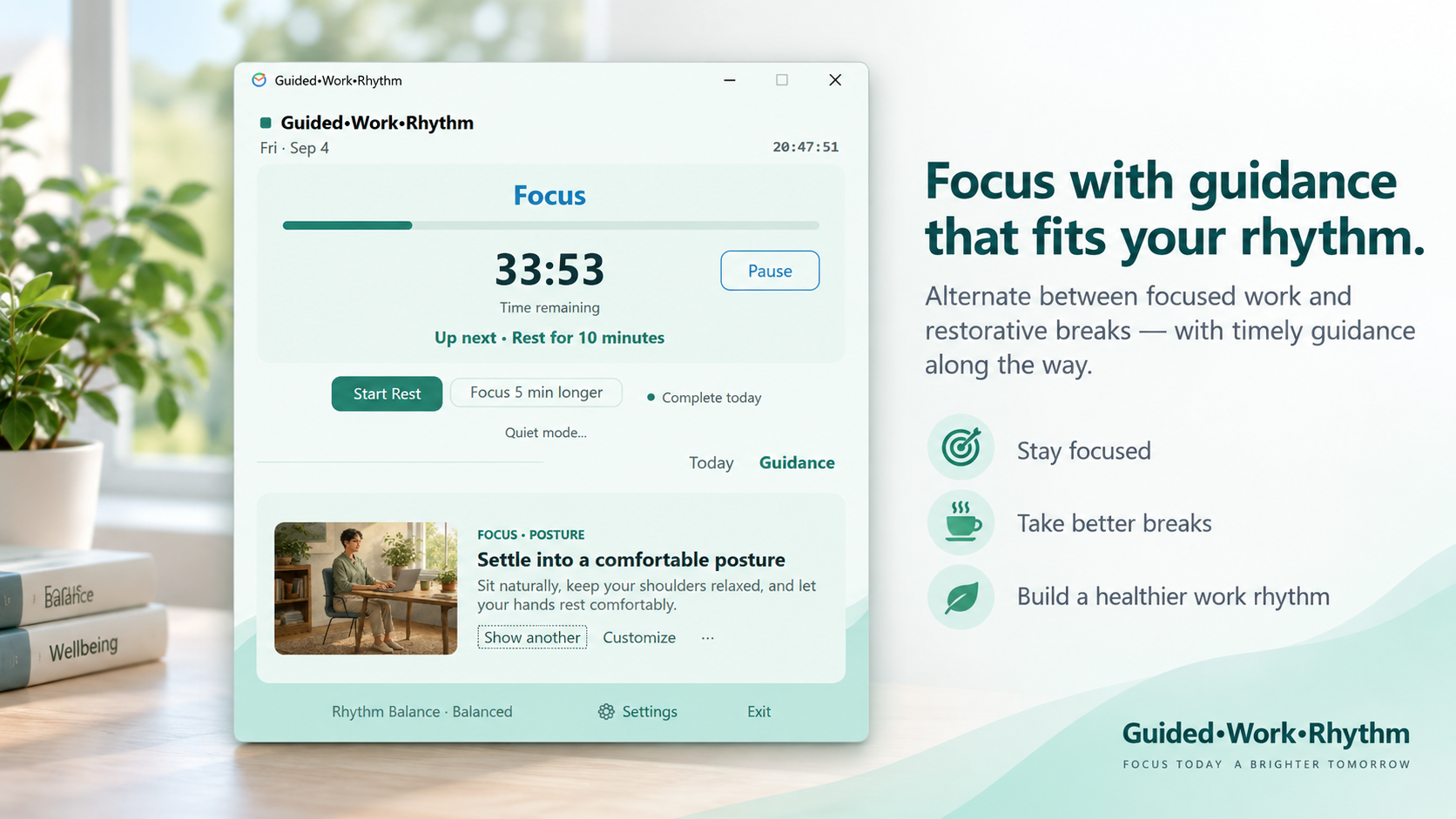
Traditional focus timers mainly tell you when to work and when to stop. Guided•Work•Rhythm helps structure your day, then provides Focus Guidance or Rest Guidance for the phase you are in.
Plan your rhythm · Follow Guidance · Make it personal
Traditional Focus Timer
Guided•Work•Rhythm
Protect your attention during Focus, support recovery during Rest, and make reminders more meaningful with Guidance that feels personal.
Focus Guidance
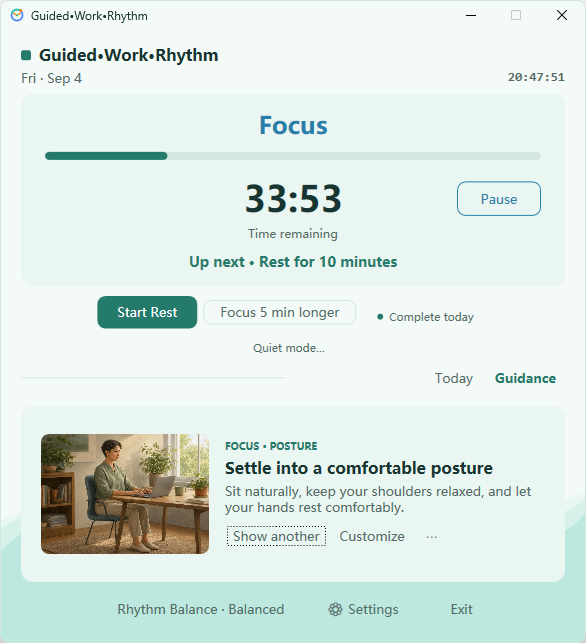
Focus Guidance offers brief, low-pressure prompts that help you reduce unnecessary switching, work at a steady pace, and gently return to what you are doing when your attention drifts.
Rest Guidance
Rest Guidance offers gentle prompts for movement, stretching, relaxing your eyes, adjusting your posture, drinking water, breathing, or stepping away from the screen. A break is time to recover from the current workload, not another task.
See how to build a flexible break reminder rhythm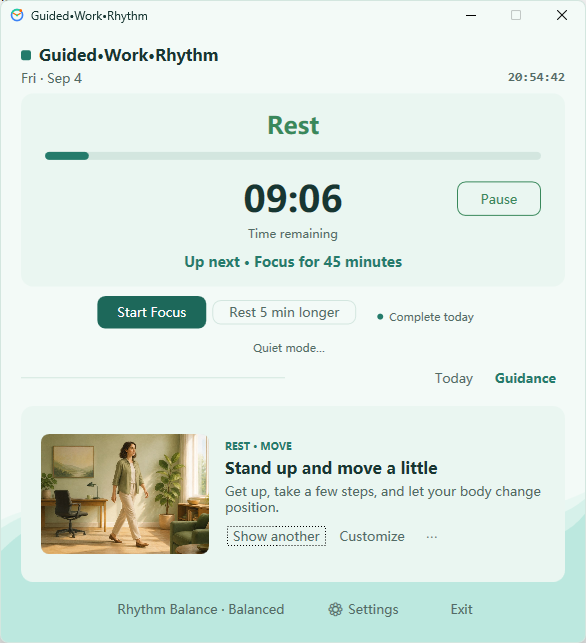
Customize Guidance
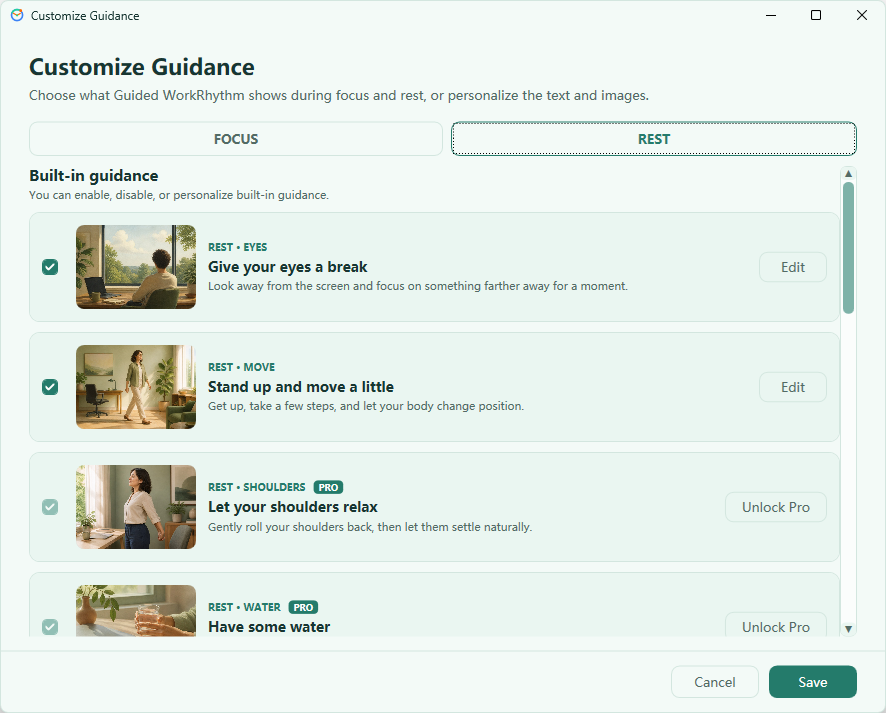
Create Custom Guidance with your own words and local images. Family, pets, favorite places, or any scene that matters to you can become timely Guidance during Focus or Rest. Images are more than decoration—they can become part of the Guidance itself.
Guidance images you select stay local, without requiring a server upload or cloud account.
Insights
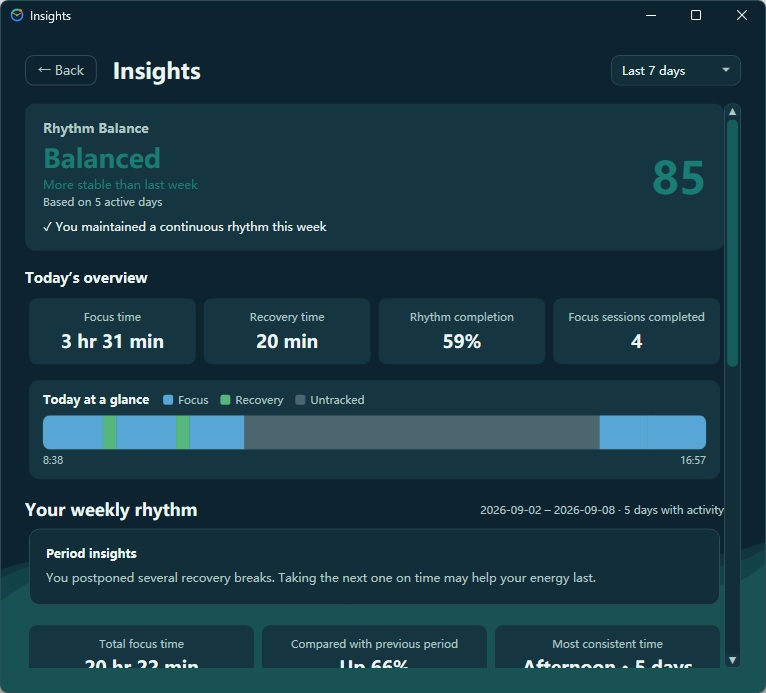
Insights helps you review focus and rest across today, 7 days, 30 days, and longer periods. It is designed to help you understand whether your rhythm works for you—not to judge how hard you worked.
Free, Trial, and Pro
New users can experience the complete Pro feature set for 3 days, including Custom Guidance and personal images. When the trial ends, the app returns to Free and never becomes a paid subscription automatically.
4 built-in Guidance items
Full 3-day trial, then $16.99 for a one-time Pro purchase
Work•Rhythm and Guided•Work•Rhythm share an approach to sustainable focus and recovery, but they are separate Windows apps. Pro purchased for one app does not unlock the other.
Pro is not a subscription. Purchases are handled by Microsoft Store.Local-first
Schedules, settings, activity records, Guidance, and images you select stay on your Windows device. Core features do not depend on a cloud service, and no Guided•Work•Rhythm account is required.
Read the Guided•Work•Rhythm Privacy PolicyFAQ
Work•Rhythm focuses on helping you plan and maintain a daily focus-and-rest rhythm. Guided•Work•Rhythm is a separate app built around the same sustainable rhythm approach, with Guidance as a central part of the experience. It provides different Guidance during Focus and Rest and lets you create Custom Guidance with your own words and local images.
No. They are separate apps with separate licenses, so Pro is purchased separately for each app.
No. Guided•Work•Rhythm Pro is a one-time purchase, with no subscription or recurring charge.
The Trial includes the complete Pro feature set, including all 14 built-in Guidance items and Custom Guidance. When it ends, the app returns to Free and does not become a paid subscription automatically.
Free includes 4 built-in Guidance items: 2 for Focus and 2 for Rest.
Yes. Pro lets you create Focus or Rest Custom Guidance with your own words and local images, making each prompt more personally meaningful.
Guidance, custom images, Today, and settings stay on your device. Core features do not require this content to be uploaded to developer servers or a Guided•Work•Rhythm cloud account. Microsoft Store services are used for app distribution, purchases, and license verification.
Guided•Work•Rhythm supports Windows 10 and Windows 11.
A VPN or manually configured proxy can sometimes prevent Microsoft Store from connecting. Try disconnecting the VPN first. If the problem continues, open Windows Settings, search for “Proxy,” and temporarily turn off “Use a proxy server,” then try Microsoft Store again. Restore your previous proxy settings afterward if needed; on a work or managed device, check with your administrator first.
Download Guided•Work•Rhythm for free and begin your 3-day Pro trial.